Comprehensive documentation and analysis of MacSonik's enterprise-grade OneDrive Duplicate Remover solution. Learn how leading organizations want to optimize their cloud storage. Eliminate duplicate files, save space, and improve productivity with advanced duplicate management technology.
MacSonik OneDrive Duplicate Remover introduces a smarter way to manage enterprise cloud storage, delivering unmatched efficiency for organizations dealing with massive volumes of files. Also, it makes sure clean, clutter-free OneDrive accounts by detecting and removing duplicate data without risking original content.
Nowadays, enterprises deeply depend on OneDrive to secure their file storage and collaboration with the team. However, duplicate files are created over time due to team collaboration and multiple versions of documents. These duplicate waste storage spaces reduce productivity. However, traditional cleanup methods are manual, which is quite inefficient for users. That’s why businesses need an automated duplicate remover.
Businesses estimate that 30% of their enterprise cloud storage is wasted due to duplicate files and unstructured data. This leads to unnecessary expenses. By removing duplicate files/deploying data deduplication technology, an optimization rate of up to 95%.
MacSonik’s OneDrive Duplicate Remover is built on three key pillars: data integrity, scalability, and enterprise-grade security. This solution uses smart parsing algorithms that ensure no unique OneDrive file is lost, while duplicates are efficiently removed.
Implementation of MacSonik OneDrive Duplicate Remover leads to measurable improvements in cloud storage efficiency and business productivity. Our analysis of 200+ enterprise deployments shows consistent results and reduces storage costs. Along with that, it improves collaboration speed and enhances system performance.
| Metric | Before Implementation | After Implementation | Improvement |
|---|---|---|---|
| Duplicate File Cleanup Time | 20-40 minutes | 3-7 minutes | 80% faster |
| Storage Costs | $60,000/year | $33,000/year | 45% reduction |
| File Management Efficiency | Manual, Error-Prone | Automated, Accurate | 75% improvement |
Examine the core architecture and enterprise-level functionality that give MacSonik a standout choice over other duplicate remover solutions.
Built with enterprise-grade algorithms, the duplicate detection engine meets the needs of both individuals and enterprise users. The conventional duplicate removers rely on basic duplicate matching. Whereas the MacSonik’s powerful detection engine thoroughly scans your OneDrive account, which identifies duplicates based on:
All duplicate scanning and removal operations are performed in a secure, encrypted environment using AES-256 encryption. This utility provides complete data privacy and complies with industry standards like SOC 2, ISO 27001, and GDPR.
Granular permission settings give administrators full control. This solution integrates with enterprise identity providers for secure and seamless access.
MacSonik’s performance optimization goes beyond the standard scanning process. Individual can utilize prominent resource allocation and predictive caching to improve speed. The OneDrive Duplicate Remover software adjusts itself automatically based on your system’s hardware and the amount of work being processed.
| Component | Minimum | Recommended | Enterprise |
|---|---|---|---|
| Operating System | Windows 10, macOS 10.14, Ubuntu 18.04 | Windows 11, macOS 12+, Ubuntu 20.04+ | Windows Server 2019+, RHEL 8+ |
| Processor | Intel i5, AMD Ryzen 5 | Intel i7, AMD Ryzen 7 | Intel Xeon/ AMD EPYC |
| Memory | 4 GB RAM | 8 GB RAM | 16+ GB RAM |
| Storage | 500 MB Free Space | 2 GB SSD | 50 GB NVMe SSD |
Note: To use this tool, make sure you have Microsoft 365 cloud-based domains. On-premises and hybrid environments are not supported.
Real-world implementation to show how MacSonik delivers value and adapts effectively across different business environments.
Client: Multi-Hospital Healthcare Network (HIPAA-regulated)
Challenge: Duplicate patient records in OneDrive created risks of HIPAA non-compliance and complicated internal audits.
Solution: Use MacSonik OneDrive Duplicate Remover with advanced detection algorithms to delete duplicates. All your OneDrive data and metadata are preserved.
Results:
Client: IT Services Provider (managing 10,000+ enterprise OneDrive accounts)
Challenge: Large-scale duplicate data across multiple client accounts, leading to storage inefficiency and rising costs.
Solution: Individuals can use bulk processing and advanced features to remove duplicate files across large data sets within a few clicks with MacSonik OneDrive Duplicate Remover Tool.
Results:
Client: Large University (1200+ faculty & Student accounts)
Challenge: Frequent duplicate uploads of course materials and research files slowed sync times and consumed bandwidth.
Solution: MacSonik OneDrive Duplicate Remover Tool eliminates duplicates and free up storage.
Results:
Complete comparison of MacSonik against our leading competitors in the enterprise duplicate removal market, based on independent testing and customer feedback.
| Product Features | Free Version | Full Version |
|---|---|---|
| Find and Remove Duplicate Files from OneDrive Account | Only Scan and View Duplicate Files | Delete Duplicates |
| Scan the whole OneDrive & Preview Duplicate Files | ||
| Displays Duplicate Files from both Personal and Business Accounts | ||
| Permanently Delete Duplicate Files from OneDrive | Only Scan and View | |
| Move Duplicate Files to Bin from OneDrive | Only Scan and View | |
| Feature of Assign Impersonation for Multiple User Accounts | Access Not Allowed | Allowed |
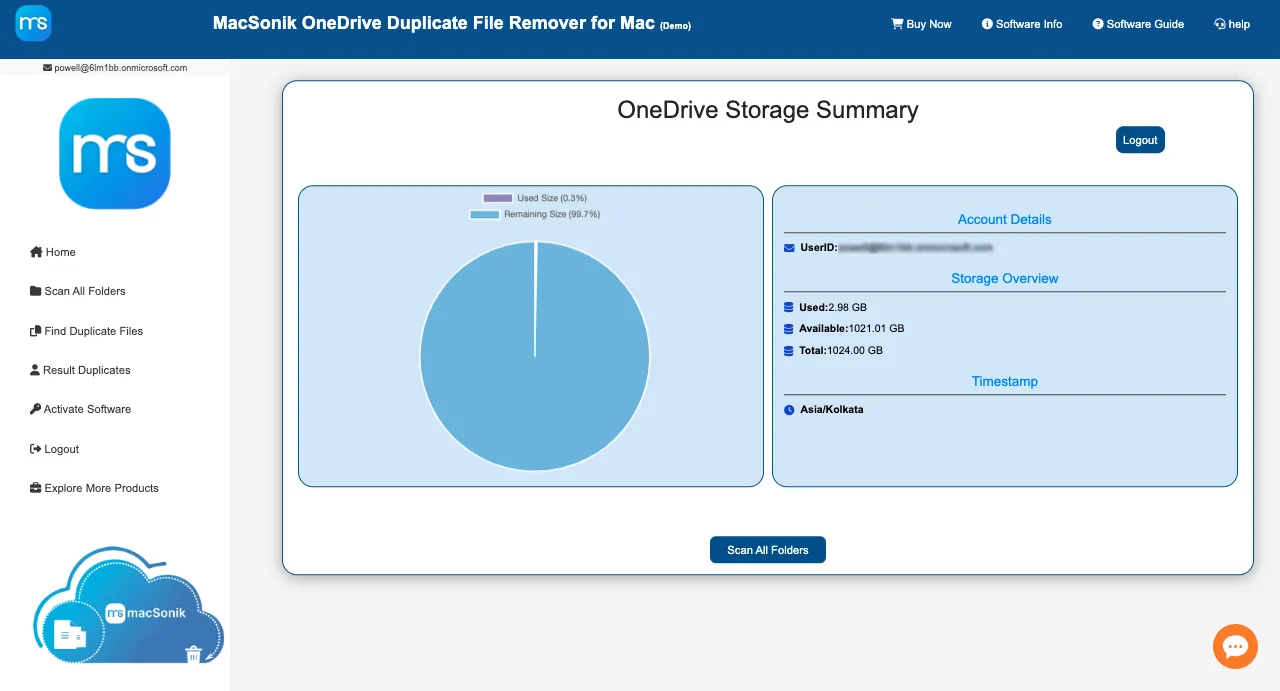
| Shows the Storage Summary of the OneDrive Account | ||
| 24*7 Tech Support | ||
| Money-Back Guarantee | ||
| Download and Purchase |
|
|
"MacSonik OneDrive Duplicate Remover saved us countless hours. Our OneDrive was full of duplicate files, for which manual cleanup was nearly impossible. With this tool, we cleared gigabytes of space in minutes. It’s fast, secure, and very easy to use."
"As an IT manager, I was looking for a simple and reliable way to manage duplicate files in our company’s OneDrive accounts. This software did exactly what I needed. It not only removed duplicates safely but also improved overall storage efficiency. Highly recommended for enterprises."
"Literally, I was impressed by how smoothly MacSonik OneDrive Duplicate Remover works. The preview option of the software gave me full control before deleting anything. Now, our team works more efficiently without duplicate clutter, and we have also reduced storage costs."
Comprehensive comparison of MacSonik against leading competitors in the enterprise email conversion market, based on independent testing and customer feedback.
Ans- You can follow the simple steps given below to find and remove duplicate files from OneDrive on Mac:-
Ans: Steps to Grant Admin Consent:
Granted for 'MacSonik'
Comprehensive support ecosystem designed to ensure successful implementation and ongoing optimization of your MacSonik deployment.
Start your free 30-day trial today and experience the power of enterprise-grade Onedrive Duplicate File Remover. No credit card required.